> ## Documentation Index
> Fetch the complete documentation index at: https://help.snipin.ai/llms.txt
> Use this file to discover all available pages before exploring further.
# Introduction
> Learn how Snipin AI turns long videos into ready-to-share micro content.
Welcome to **Snipin AI** — your all-in-one platform that transforms long-form event recordings into short, engaging, and shareable micro-content. Whether you’re an event organizer, marketer, or content strategist, Snipin AI helps you **turn hours of video into moments that matter** — highlights, quotes, summaries, and visuals — all powered by AI.
## What is Snipin AI ?
**Snipin AI** is an advanced content repurposing tool built for the event industry.
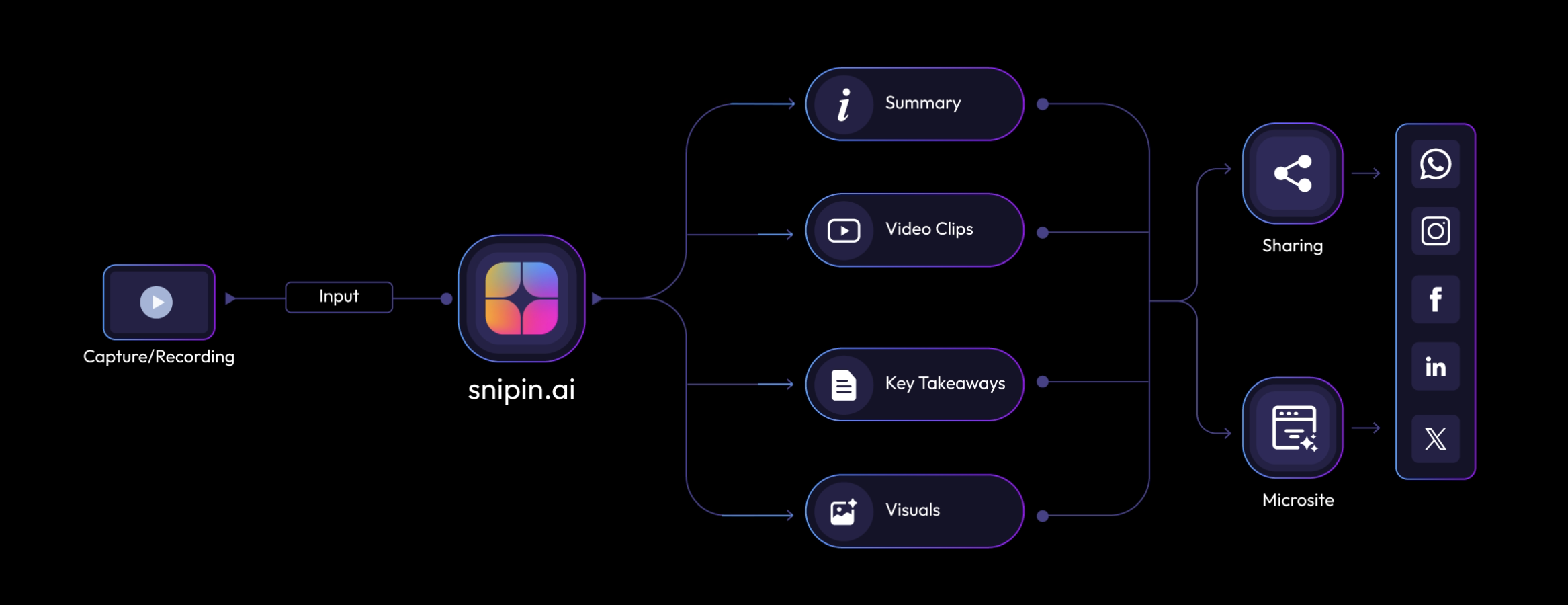
It automatically detects key moments from your video or audio sessions, extracts the most engaging clips, and generates ready-to-share content such as:
* Short videos
* Key takeaways
* Speaker highlights
* Auto-generated summaries
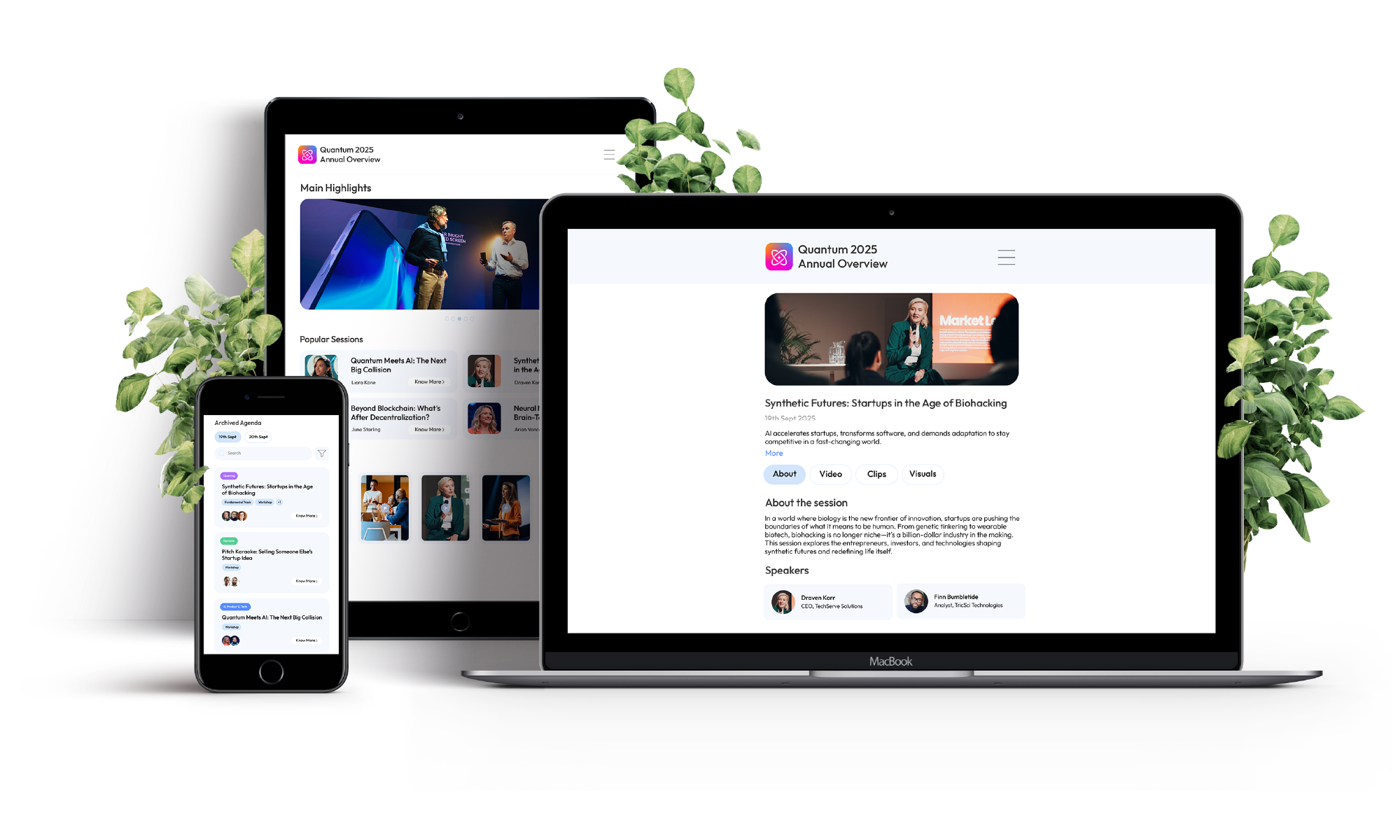
* Social-ready visuals and thumbnails
With Snipin AI, you can give your event content a **second life** — perfect for social media, newsletters, microsites, and post-event engagement.
 ## How Snipin AI Works
The process is simple, automated, and powerful:
1. **Upload Your Content** — Add your session videos, audio, or documents.
2. **AI Analyzes Everything** — The platform identifies the most impactful segments based on speech patterns, topics, and audience energy.
3. **Snippets Are Created** — You get automatically edited short clips, smart visuals, and AI-written summaries.
4. **Review & Publish** — Edit, fine-tune, and share your micro-content instantly via your event microsite or social channels.
## How Snipin AI Works
The process is simple, automated, and powerful:
1. **Upload Your Content** — Add your session videos, audio, or documents.
2. **AI Analyzes Everything** — The platform identifies the most impactful segments based on speech patterns, topics, and audience energy.
3. **Snippets Are Created** — You get automatically edited short clips, smart visuals, and AI-written summaries.
4. **Review & Publish** — Edit, fine-tune, and share your micro-content instantly via your event microsite or social channels.
 ## Key Features Overview
| Feature | Description |
| :-------------------------- | :-------------------------------------------------------------------------------------------------------- |
| **Auto Snippet Generation** | Automatically extracts the most engaging moments from long videos. |
| **AI Summaries** | Creates short, easy-to-read overviews of each session — giving your audience the core message in seconds. |
| **Key Takeaways** | Highlights the most valuable insights and quotes — ready to share across blogs, emails, or social posts. |
| **Smart Visuals** | Extracts stunning stills and thumbnails from videos for gallery or social use. |
| **Microsite Publishing** | Instantly create a shareable microsite showcasing all your snippets. |
| **Analytics Dashboard** | Track snippet performance — views, clicks, engagement, and shares. |
| **Reprocessing Engine** | Not happy with the first cut? Regenerate snippets instantly with AI. |
## System Requirements
To ensure a smooth experience with Snipin AI, make sure your system meets these minimum requirements:
| Requirement | Details |
| :------------------------- | :---------------------------------------------------------------------- |
| **Supported Browsers** | Google Chrome (latest), Microsoft Edge, Safari (v14+), Firefox (latest) |
| **Internet Speed** | Minimum 5 Mbps upload / 10 Mbps download recommended |
| **Supported File Formats** | MP4, MOV, AVI, MP3, WAV, PDF |
| **Max Upload Size** | 2 GB per file (Contact support for larger uploads) |
| **Device Compatibility** | Desktop and Laptop browsers fully supported; Mobile upload in beta. |
## Why Use Snipin AI?
* Save **hours of manual editing** — AI does it in minutes.
* Boost event **reach and engagement** with bite-sized content.
* **Reuse and monetize** event assets for marketing, PR, and future promotions.
* Build a **content library** that keeps your event relevant even after it’s over.
## Need Help ?
We are here to support you every step of the way.\
Email us anytime at [**info@snipin.ai**](mailto:info@snipin.ai) for help, feedback, or product guidance.
## Key Features Overview
| Feature | Description |
| :-------------------------- | :-------------------------------------------------------------------------------------------------------- |
| **Auto Snippet Generation** | Automatically extracts the most engaging moments from long videos. |
| **AI Summaries** | Creates short, easy-to-read overviews of each session — giving your audience the core message in seconds. |
| **Key Takeaways** | Highlights the most valuable insights and quotes — ready to share across blogs, emails, or social posts. |
| **Smart Visuals** | Extracts stunning stills and thumbnails from videos for gallery or social use. |
| **Microsite Publishing** | Instantly create a shareable microsite showcasing all your snippets. |
| **Analytics Dashboard** | Track snippet performance — views, clicks, engagement, and shares. |
| **Reprocessing Engine** | Not happy with the first cut? Regenerate snippets instantly with AI. |
## System Requirements
To ensure a smooth experience with Snipin AI, make sure your system meets these minimum requirements:
| Requirement | Details |
| :------------------------- | :---------------------------------------------------------------------- |
| **Supported Browsers** | Google Chrome (latest), Microsoft Edge, Safari (v14+), Firefox (latest) |
| **Internet Speed** | Minimum 5 Mbps upload / 10 Mbps download recommended |
| **Supported File Formats** | MP4, MOV, AVI, MP3, WAV, PDF |
| **Max Upload Size** | 2 GB per file (Contact support for larger uploads) |
| **Device Compatibility** | Desktop and Laptop browsers fully supported; Mobile upload in beta. |
## Why Use Snipin AI?
* Save **hours of manual editing** — AI does it in minutes.
* Boost event **reach and engagement** with bite-sized content.
* **Reuse and monetize** event assets for marketing, PR, and future promotions.
* Build a **content library** that keeps your event relevant even after it’s over.
## Need Help ?
We are here to support you every step of the way.\
Email us anytime at [**info@snipin.ai**](mailto:info@snipin.ai) for help, feedback, or product guidance.