> ## Documentation Index
> Fetch the complete documentation index at: https://help.snipin.ai/llms.txt
> Use this file to discover all available pages before exploring further.
# Share snippet/clips
> Drive engagement — post-event distribution.
Once your clips are published on the microsite, you can start sharing them with your audience to boost visibility and engagement.
Snipin AI makes this easy with **built-in social sharing tools**, **OTP-protected links**, and **optional download permissions**.
## Step 1: How to Share Clips
Every clip generated by Snipin AI is instantly shareable.
To share a snippet/clip:
1. Go to your **event dashboard** or **microsite view**.
2. Click on any **clip card** — this opens the clip in a short clip slider.
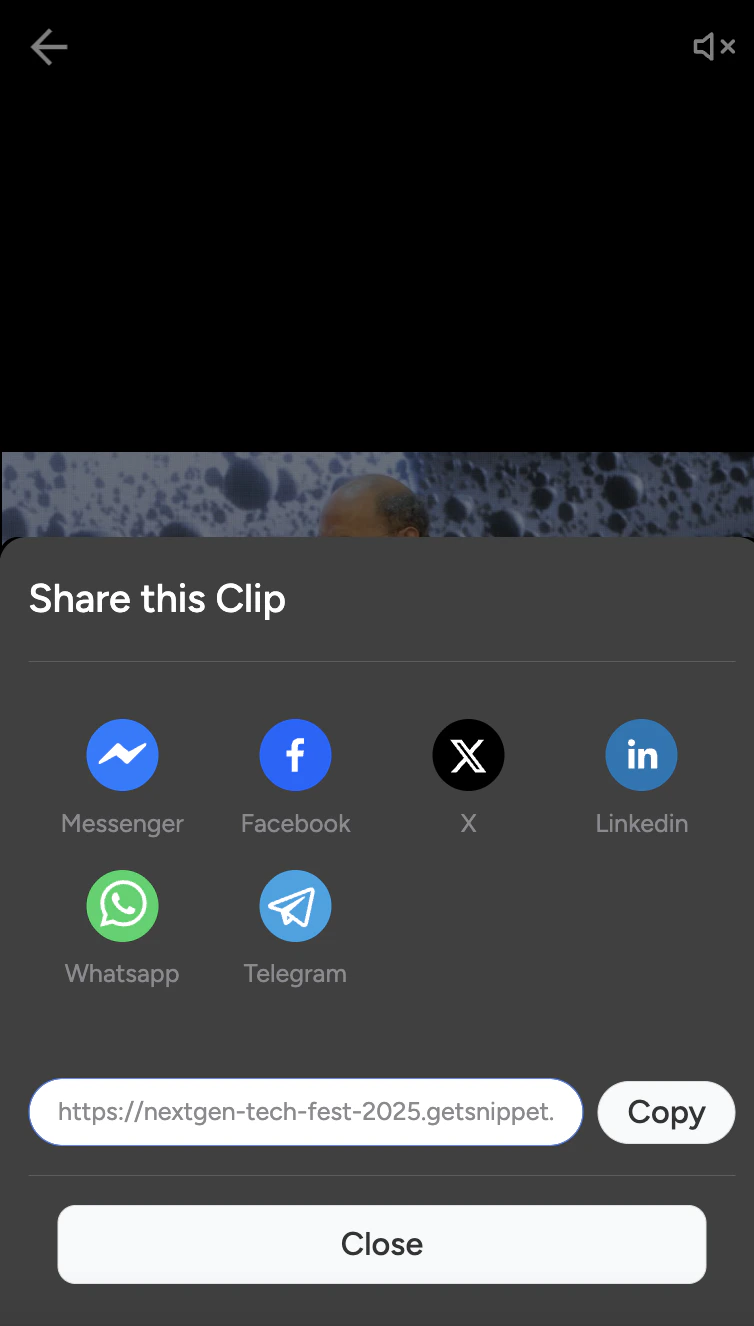
3. Tap the **Share icon** (🔗) to reveal sharing options.
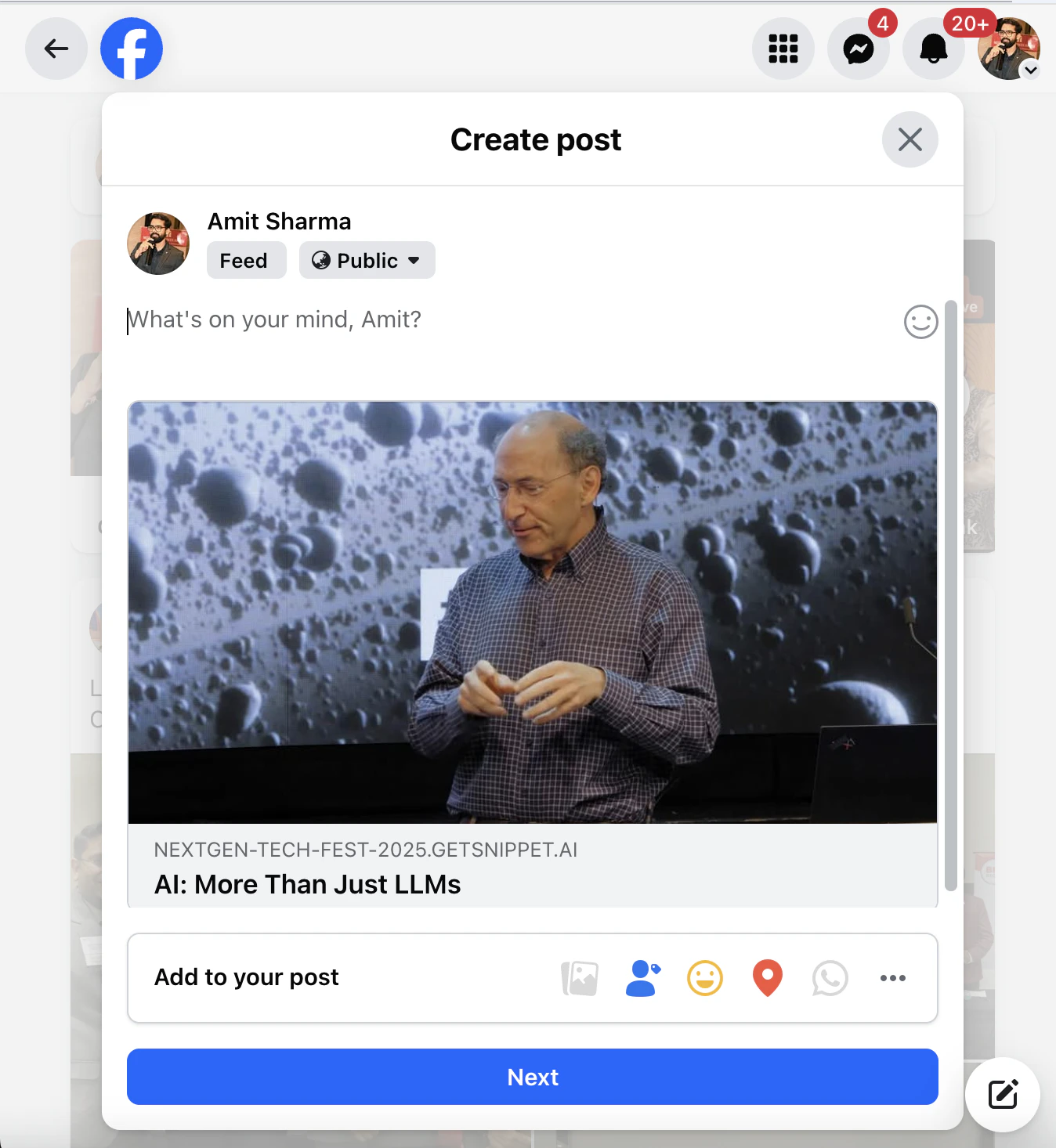
4. Choose your preferred platform.
Currently supported major platforms include:
* **LinkedIn**
* **Facebook**
* **X (Twitter)**
* **Instagram**
* **WhatsApp**
When sharing to **WhatsApp**, you can **customize your message** — write a short caption or teaser text that appears along with your clip link.
**Example WhatsApp Message:**
> “Check out this powerful moment from India Startup Pavilion at IMC 2025 🚀 — powered by Snipin AI!”

 *Pro Tip:* Keep your social caption short and intriguing — use 1–2 sentences that create curiosity or FOMO.
## Step 2: OTP-Protected Links
Snipin AI ensures **secure access** for all shared content.
Each shared clip or microsite link is **OTP-protected**, meaning:
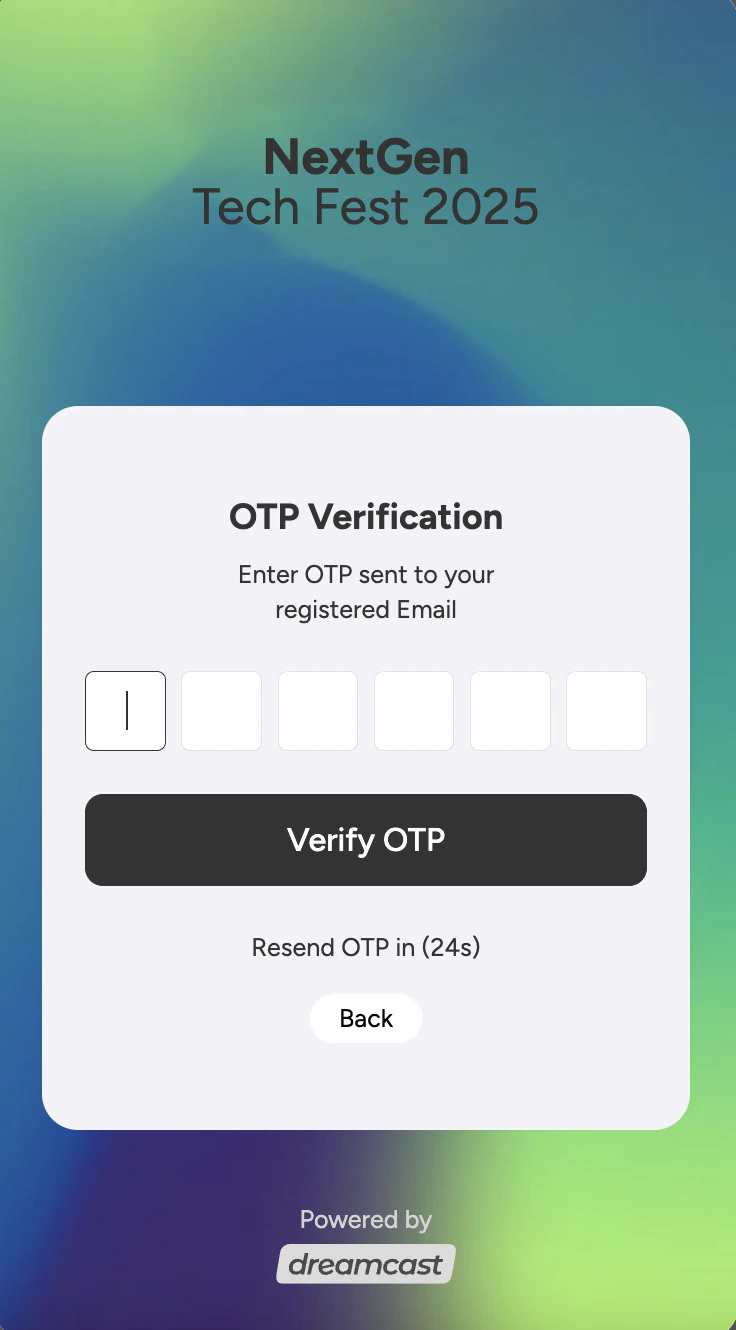
* When a viewer clicks the shared link, they’ll be prompted to **enter their email ID**.
* An **OTP (One-Time Password)** is sent to their email for quick verification.
* After OTP validation, they can instantly view the video or clip.
This ensures that your event content remains **private, trackable, and safe**, even when shared publicly.
*Pro Tip:* Keep your social caption short and intriguing — use 1–2 sentences that create curiosity or FOMO.
## Step 2: OTP-Protected Links
Snipin AI ensures **secure access** for all shared content.
Each shared clip or microsite link is **OTP-protected**, meaning:
* When a viewer clicks the shared link, they’ll be prompted to **enter their email ID**.
* An **OTP (One-Time Password)** is sent to their email for quick verification.
* After OTP validation, they can instantly view the video or clip.
This ensures that your event content remains **private, trackable, and safe**, even when shared publicly.
 *Tip:* Use OTP-protected links when sharing private or invite-only event content — it maintains exclusivity and helps capture verified leads.
## Step 3: Downloading Clips
Snipin AI also allows users to **download clip videos** — if this feature is enabled by the event admin.
Admins can manage download permissions under:
**Settings → Access → Download Permissions**
Options include:
* ✅ Allow all users to download clips.
* 🔒 Restrict downloads to admin or internal team only.
* ❌ Disable downloads entirely.
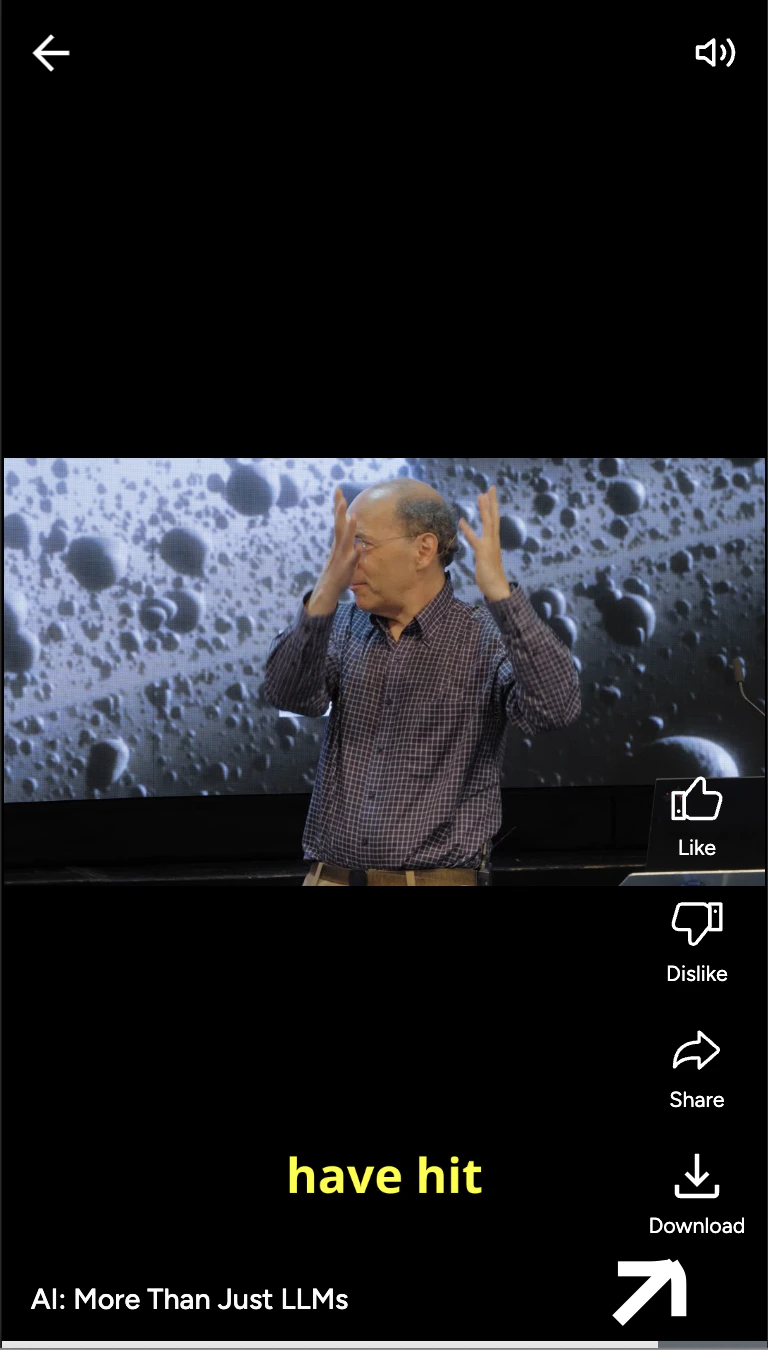
Once enabled, users will see a **Download icon (⬇️)** below each clip.
*Tip:* Use OTP-protected links when sharing private or invite-only event content — it maintains exclusivity and helps capture verified leads.
## Step 3: Downloading Clips
Snipin AI also allows users to **download clip videos** — if this feature is enabled by the event admin.
Admins can manage download permissions under:
**Settings → Access → Download Permissions**
Options include:
* ✅ Allow all users to download clips.
* 🔒 Restrict downloads to admin or internal team only.
* ❌ Disable downloads entirely.
Once enabled, users will see a **Download icon (⬇️)** below each clip.
 *Pro Tip:* Enable downloads for promotional highlights, press releases, or internal knowledge sharing — and disable it for premium or restricted content.
## Need Help ?
We’re here to support you every step of the way.\
Email us anytime at [**info@snipin.ai**](mailto:info@snipin.ai) for help, feedback, or product guidance.
*Pro Tip:* Enable downloads for promotional highlights, press releases, or internal knowledge sharing — and disable it for premium or restricted content.
## Need Help ?
We’re here to support you every step of the way.\
Email us anytime at [**info@snipin.ai**](mailto:info@snipin.ai) for help, feedback, or product guidance.